I automated the FlyByWire A320 Copilot in MSFS using voice commands! (Full Guide & Pack)


Tired of hunting for tiny knobs or softkeys with a mouse while managing pre-flights or engine starts in the FlyByWire A320? In this video, we build and test a complete hands-free virtual co-pilot workflow using SimVoice Copilot v1.1.16 https://simvoicecopilot.com/hitfs (Use code: JVELDH10) and advanced simulator actions.
Unlike basic macros, we leverage L-vars, indexed sim variables, and smart grouping to execute complex multi-step flows—from initial power-up and adirs alignment to pushback, takeoff, and landing procedures—completely hands-free in Microsoft Flight Simulator!
🎟️ EXCLUSIVE 10% DISCOUNT details: - 10% off Premium Monthly (first billing cycle) - 10% off Premium Lifetime (Note: Limited creator promotion valid for the first 100 redemptions. Cannot be combined with other offers.)
📥 download the A320 FBW community pack: Download the exact .SVCpack profile demonstrated in this video via the website link below: https://highintheflightsimsky.nl/simvoice-packs/
Automate your FlyByWire A320 cockpit with a hands-free virtual co-pilot. Follow this guide to configure voice commands for MSFS.
Managing complex pre-flights, engine starts, and landing procedures in the FlyByWire A320 can be tedious when using only a mouse. This tutorial demonstrates how to implement a hands-free virtual co-pilot using SimVoice Copilot, allowing you to execute multi-step flows and simulator actions through simple spoken commands.
We walk through the setup of L-vars and indexed sim variables to build a professional-grade workflow. By importing our custom community pack, you can achieve a fully automated cockpit experience in Microsoft Flight Simulator. Whether you are aligning ADIRS or performing takeoff sequences, this setup minimizes manual clicking and enhances immersion for every flight.
Subscribe for weekly flight simulation tutorials and aircraft deep-dives. What automated command group should we build next: an emergency procedure flow or a descent profile? Let us know in the comments below.
⏱️ chapters: 00:00 Introduction & FBW A320 Voice Co-Pilot Overview 01:16 Exploring Voice Commands & Advanced Actions Setup 05:54 Using the AI Command Builder & Grouping Actions 09:12 Demo: Pushback & Engine Start Flow in Action 10:02 Demo: Prepare for Taxi & Config Checks 11:57 Demo: Takeoff & Initial Climb Procedures 13:42 Demo: Landing & Post-Flight Parking Procedures 17:03 How to Import & Activate Community Packs in SimVoice Copilot
💬 community question: What automated command group should we build and export next? An emergency procedure flow or an automated descent profile? Drop your vote in the comments below!
✈️ about this channel: High in the FlightSim Sky delivers in-depth flight simulation guides, avionics breakdowns, VR flight setups, and hardware reviews across Microsoft Flight Simulator.
Subscribe for weekly tutorials, aircraft deep-dives, and flight procedures: https://bit.ly/34eNWDP Join our Discord: https://discord.gg/J3tZyhceUM
Related Videos

Step-by-Step Guide: Adding Flight Plans & Procedures to Cessna 172 in MSFS 2024 🛩️
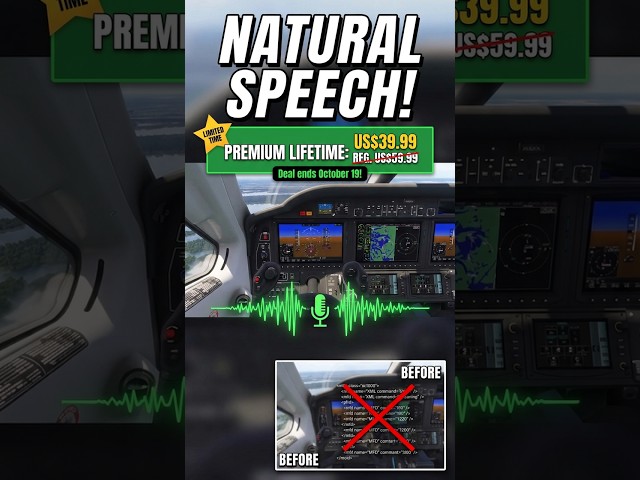
You can finally talk to your MSFS Copilot naturally

Stop mouse hunting in VR! Control the G1000 by voice in MSFS

Speak to Fly: Hands-Free Cockpit Control in MSFS with SimVoice Copilot

🔴 Friday the 13th: MSFS 2024 SU5 Beta First Look! Cursed or Fixed?

🔴 MSFS City Update 13 California Tour – Exploring All 18 Enhanced Cities LIVE