How to read NOTAMs in 30 Seconds (don't ruin your flight!)


You just spent two hours cruising across the continent, break out beneath the clouds at 200 feet, and discover your destination runway is barricaded with repaving equipment. Why did your flight plan send you straight into a closed airport?
Every time you generate a SimBrief dispatch release, you receive up to 20 pages of dense, all-caps NOTAMs. Most simmers scroll right past them because 95% of the data consists of unlit radio towers and irrelevant clutter. But skipping them entirely exposes you to dead ILS transmitters, blocked taxiways, and unlit ghost airports.
In this tutorial, discover the 30-second pre-flight sweep that filters through 20 pages of SimBrief NOTAMs instantly. Learn how to identify line E plain-language summaries, decipher the critical code words (CLSD, U/S, WIP, TWY, and HR OPS), and avoid the three silent traps that cause disastrous diversions on VATSIM and offline flights.
⏱️ Video Chapters: 00:00 - Intro 00:33 - The 30-second sweep architecture 01:46 - The Dead ILS trap 03:06 - The taxiway & stand blockade 04:17 - Runway closures & curfews
Pre-Flight NOTAM SOP Cheat Sheet: • Destination First: Skip en-route clutter; scroll immediately to your Destination Aerodrome NOTAMs section. • Line E Scanning: In SimBrief, Line E tags are omitted—scan the bold body text for plain-language operational status. • The 3 Universal Threat Codes: - CLSD (Closed): Runways, taxiways, or facilities out of service. - U/S (Unserviceable): Navigation aids, ILS glideslope/localizers, or lighting systems powered off. - WIP (Work in Progress): Ground construction, repaving, and equipment hazards on movement areas. • The Dead ILS Check: If an ILS frequency is NOTAMed U/S, the ground transmitter is off. Your PFD needles will remain flagged red. Plan a RNAV (GPS), VOR, or visual approach instead of descending blind. • Surface & Stand Sweep: Search for "TWY" and "PRKG" / "STAND" to identify blocked taxi routes or closed gates before pushback to avoid ground gridlock on VATSIM. • Runway & Curfew Check: Verify secondary runway length margins if primary strips show CLSD, and check "HR OPS" for airfield operating hours to avoid arriving after tower shutdown and runway light curfews.
✈️ Hardware & Platform: • Simulators: Microsoft Flight Simulator 2024 / Microsoft Flight Simulator 2020 • Planning Tools: SimBrief / Navigraph Charts
🔗 Helpful Links & Resources: 👉 Complete MSFS A-Z Series Playlist: https://bit.ly/3l6fRdL 👉 Subscribe for more MSFS tutorials and flight controls setup guides: https://bit.ly/34eNWDP 👉 Official Flight Simulator Support: https://www.flightsimulator.com/
About MSFS A–Z: Part of our alphabet tutorial series breaking down essential aviation systems, hardware setup, and flying techniques one letter at a time. N is for NOTAMs.
#MSFS #MSFS2024 #FlightSimulator #SimBrief #Aviation #FlightSim #VATSIM #A320
Related Videos
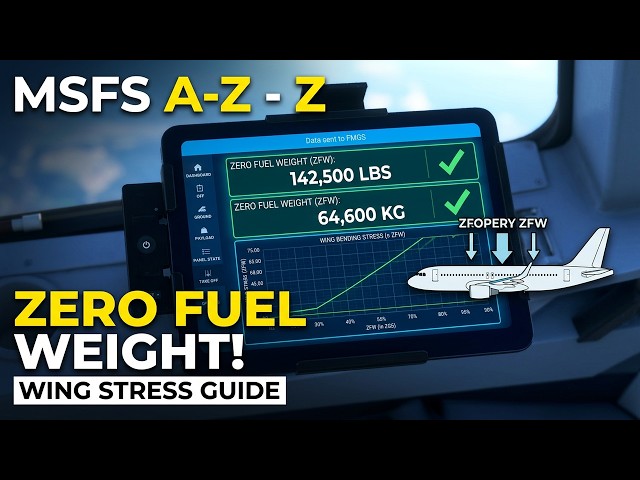
Z is for ZERO FUEL WEIGHT: The critical calculation that saves your wings | MSFS A-Z

K is for KCAS: Finally know true speed | MSFS 2024

FLIGHT SIM 2024: EFB Overhaul (Sim Update 3 Deep Dive) 💥

FIRST LOOK: Famous Flyer 12 & City Update 11 🚀 MSFS 2020/2024 New Content EXPLORED!

NEW MSFS 2024 Marketplace activities! (watch before you nuy)

Massive MSFS 2024 Scenery Drop! (Free Upgrade + 8 New Airports)